Tracking CPD with Akademia
Every video you watch on Akademia is automatically added to your CPD profile. From your CPD profile you are able to:
- Add a reflective statement
- Complete an associated quiz (if applicable)
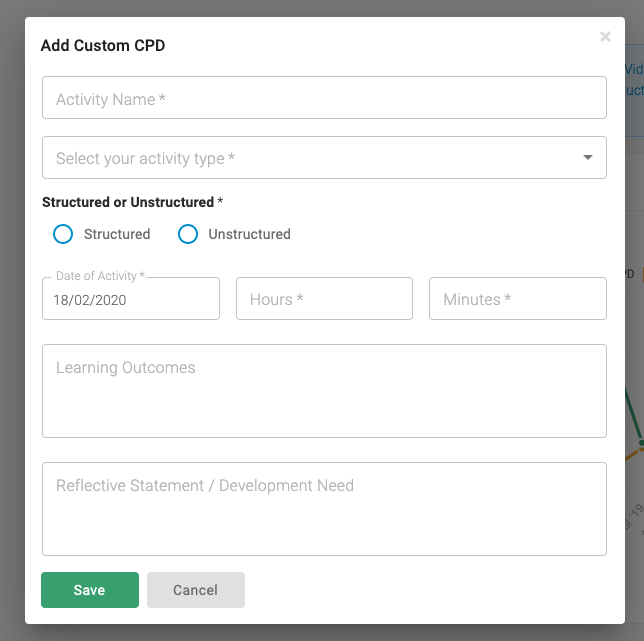
- Add non Akademia CPD activities (conference attendance, reading etc)
- Filter your CPD history to show the most appropriate results
- Export your CPD to PDF or CSV
You can access your CPD by visting your My CPD Page
Info
Akademia is our designated website for structured CPD where all the content is suitable for structured CPD.
CPD Activities
Videos you watch on Akademia are automatically added to your activity history including how much of the video you have watched. From your profile you are able to add reflective statements to your viewing history.
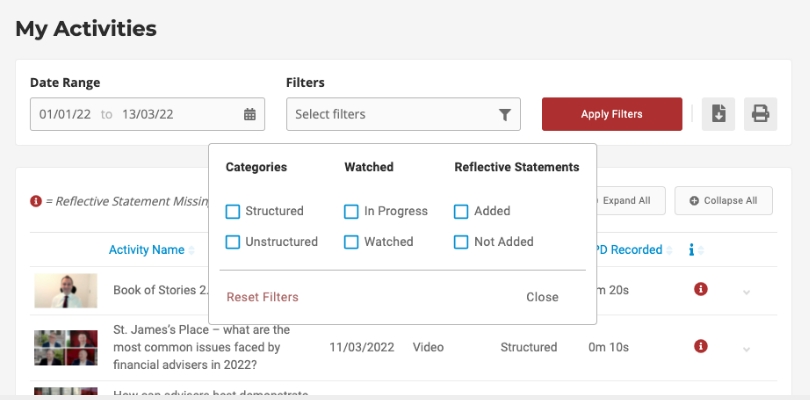
You can also filter your activities list by type meaning you can filter the results to show just structured or unstructured content; content watched in full or to be completed; or whether or not a reflective statement has been added.
Setting Targets
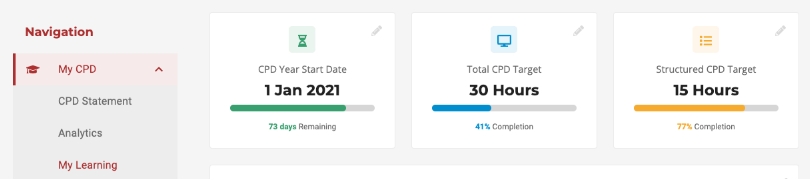
From the "My Learning" page you are able to set your own CPD start date along with your personal targets for the current period.
Track your progress relative to your peers
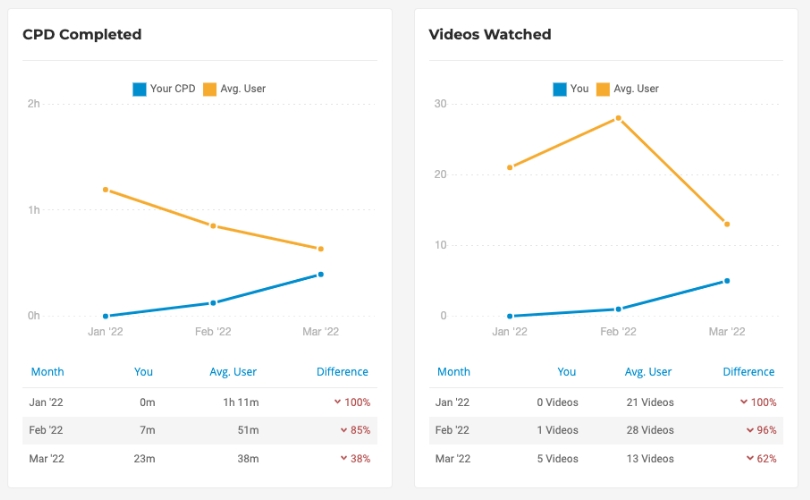
We've added charts to help you break down your CPD learning by learning type and relative to other users.
Tracking off-platform activities
It is also possible to track CPD activities you may have completed outside the Akademia CPD platform. From your CPD profile select the red "Add CPD" option in the left hand menu or the green plus symbol in the bottom right of the screen and fill in the form.